





Reservations,
the way front of house wants to see them.
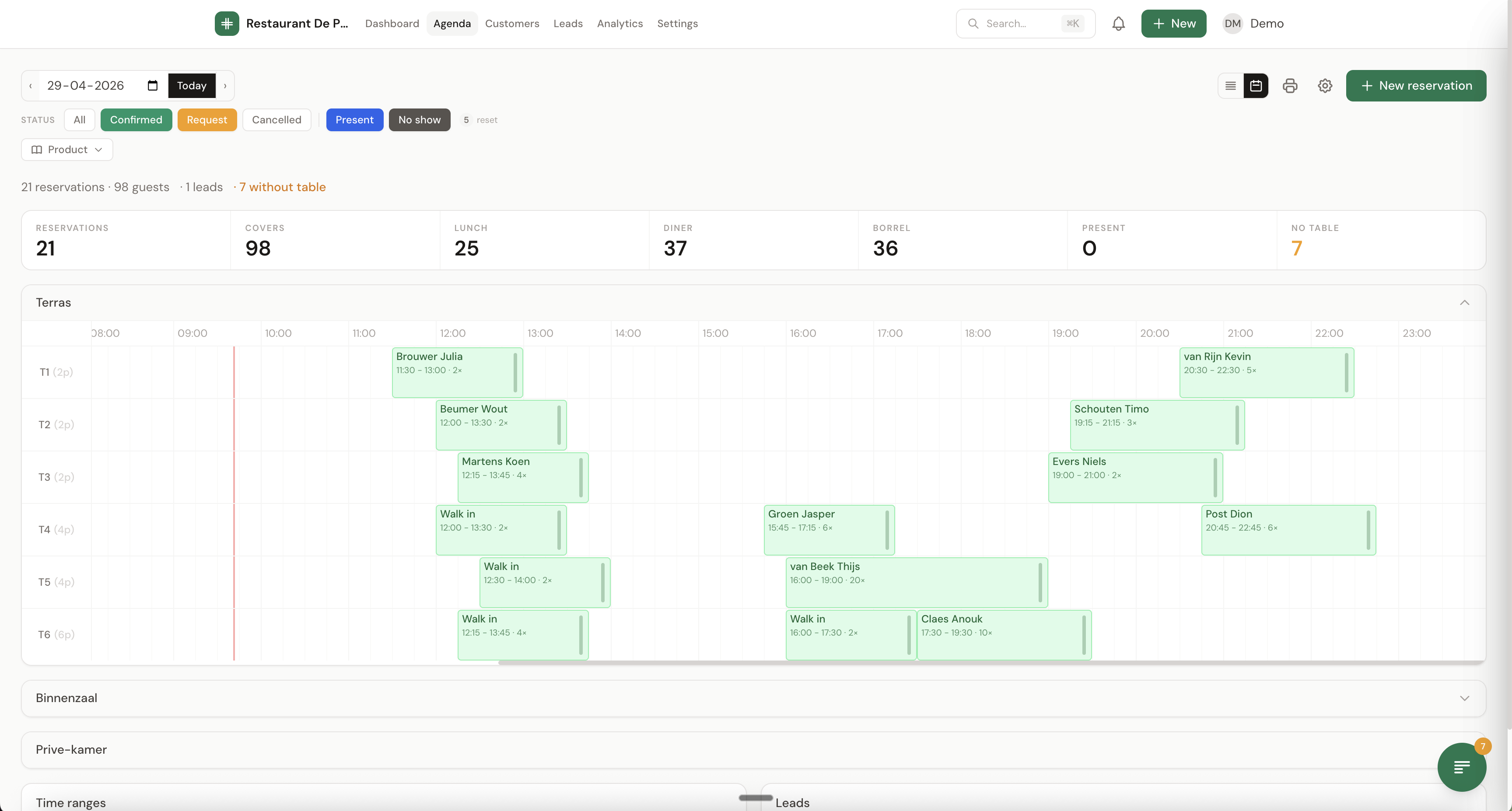
TableFlow's diary is built for restaurants that need the full picture every shift. Visual per zone, drag and drop to allocate tables, walk-ins in 3 taps, and a heatmap that shows when you're slammed.
One view per zone, drag & drop.
Bookings show as coloured blocks on the timeline, one colour per status (confirmed, present, no-show, request). See in half a second whether a table is taken all night.
Visual, fast, mobile-first.
Time slot per table
Bookings show as blocks, coloured by status. Readable in half a second.
Multi-zone
Terrace, inside, private dining room, lounge: each with its own diary and capacity.
Drag & drop
Moving a booking to another table or time? Drag it. Resize it when the party size changes.
Walk-in flow
Opens in 1 tap: start typing the name, pick a table, done.
Zone heatmap
4-week patterns per zone. Plan staffing on data, not gut feel.
Action list
All requests, missing tables and outstanding payments, at the top of the dashboard.

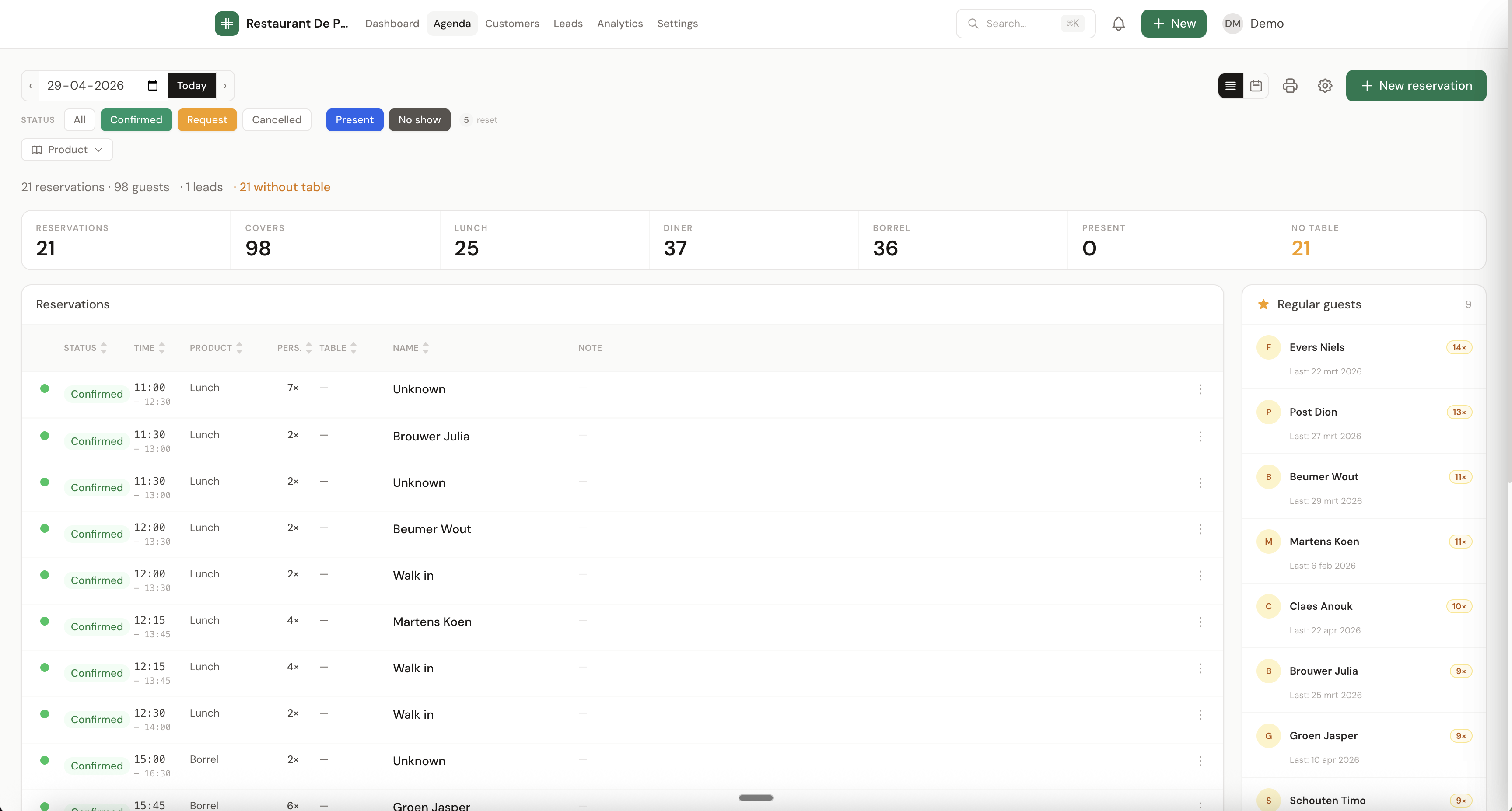
Or a clean list. Your choice.
Some teams prefer the timeline. Others want a sortable list with status, time, party size, name and notes. TableFlow has both. Switch in two clicks.